Opening
The most expensive part of a printer isn't the printer.
A €90 inkjet that ships with starter cartridges and runs through €60 of replacement ink every couple of months will cost you more in two years than a €350 laser MFP that sips toner. Most buying guides bury this. We're starting with it because it's the single decision that decides whether you're happy with your printer in eighteen months, and almost everything else follows from it.
This guide is for anyone in Ireland buying a multi-function printer in 2026 - a device that prints, scans and copies, and sometimes faxes - for a household, a home office or a small business. The decision that matters most is what you're going to feed the machine for the next three to five years: replaceable cartridges, refillable ink tanks, or toner. We'll cover that choice properly, talk about the features that genuinely matter (and the ones that are marketing), explain how to read a manufacturer's running-cost claims without being misled, and look at what's changed in this category since the last time most people went shopping. Where we describe price tiers and capability bands, those reflect what's available in the Irish market in 2026. We update this guide as new ranges launch.
Cartridges, tanks, or toner: the decision that determines everything else
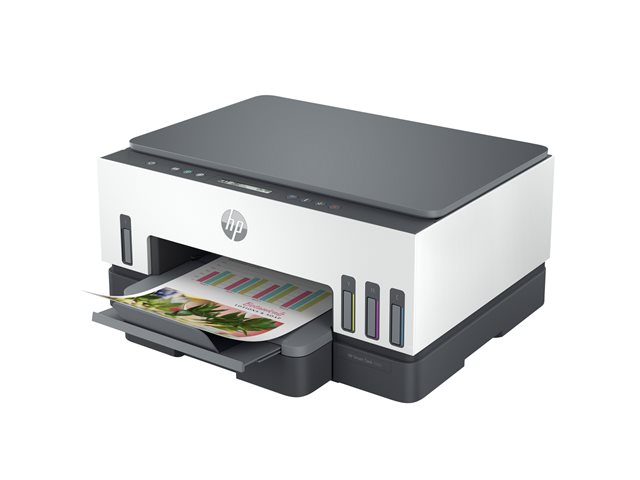
Multi-function printers come in two underlying technologies - inkjet and laser - but the decision that actually matters to your wallet is what consumable the machine uses. There are three options, and they have radically different economics.
Cartridges are the default model for home and home-office inkjet printers. The printer is cheap - often subsidised below its build cost - and you replace small plastic cartridges every few hundred to few thousand pages. Cartridge inkjet pages typically cost five to fifteen cents in colour and two to five cents in mono using genuine cartridges. The cartridges are where the manufacturer makes its money, and a small but meaningful number of cartridge-inkjet manufacturers run subscription programs and use firmware to limit which cartridges work, which deserves its own discussion below. The trap with cartridge inkjet is that infrequent printing dries out the print heads, which means cartridge replacements you didn't budget for.
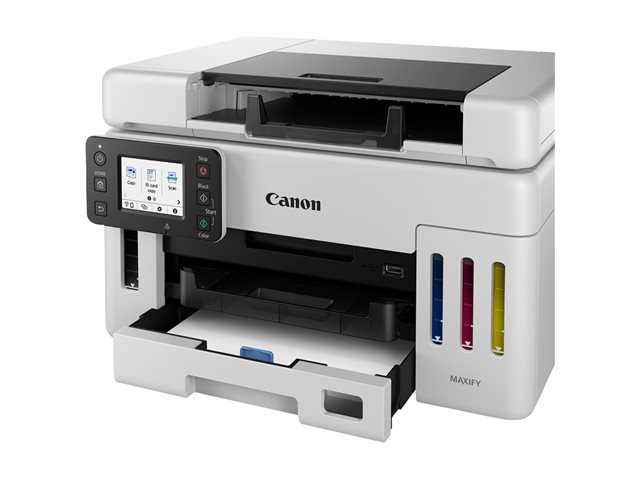
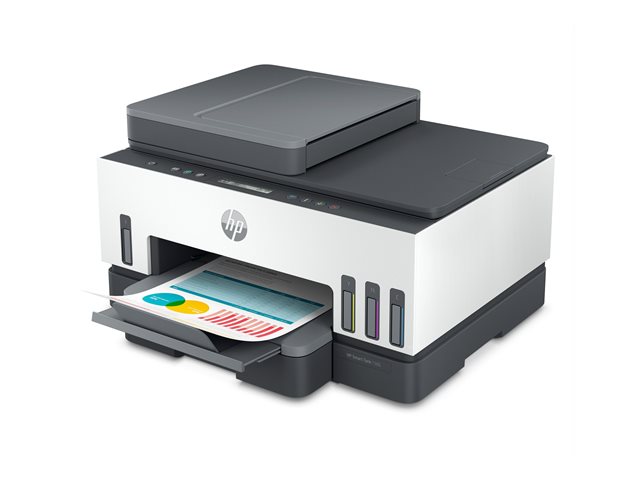
Refillable ink tanks are still inkjet printing - same liquid ink, same nozzles - but instead of replaceable cartridges the printer has reservoirs that you top up from bottles. The category was niche five years ago and is mainstream now. Tank-fed inkjet MFPs cost more to buy - typically €290-540 against €80-200 for a comparable cartridge inkjet - but a €15-20 ink bottle prints thousands of pages. Per-page cost drops below one cent in mono and under three cents in colour. For any household or home office printing more than a token amount of colour, this is almost always the right answer in 2026. The premium up front is real, but it pays back inside a year or two of moderate use. The two ranges to know are HP Smart Tank and Epson EcoTank; both are mature, well-supported, and broadly comparable on running cost. Canon's MAXIFY GX is the third option, sitting at the higher-volume end of the category.
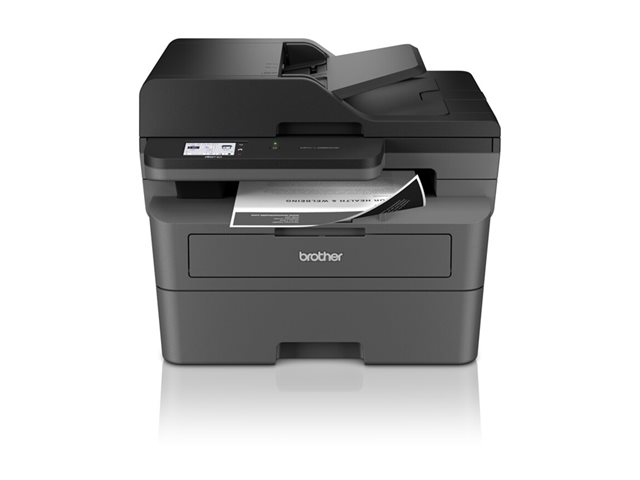
Toner is what laser printers consume - a fine plastic powder fused to the page with heat. Mono laser is genuinely cheap to run (one to three cents per page), tolerates being unused for weeks without degrading, and the printers are fast and reliable for text. Mono laser MFPs in the €250-550 range cover most home-office and small-business needs. Colour laser exists, costs more (€500+ for a decent multi-function colour laser), and is faster and more consistent than colour inkjet for office documents - but it doesn't beat inkjet on photo quality and the printers are physically large.
The simple version of the choice: if you print mostly text and the volume is anything more than a few pages a week, you're looking at toner (mono laser MFP). If you need colour at any meaningful volume, you're looking at refillable tanks (tank-fed inkjet MFP). Cartridge inkjet still makes sense for very low-volume users where the up-front saving outweighs running-cost concerns, and for buyers who specifically want a small, light, cheap printer for occasional use. For everyone else, cartridge inkjet should now be the alternative you justify rather than the default you fall into.
Match the consumable model to actual use, not aspirational use
The other thing buyers get wrong is buying for the printing they imagine doing rather than the printing they'll actually do. Most households print fewer than thirty pages a month. Most home offices print under two hundred. Buying a printer rated for five thousand pages a month because you might one day need it means you've paid for capacity that sits idle and you've made the wrong consumable choice.
Honest volume bands look roughly like this. A few pages a week - schoolwork, the occasional boarding pass, a recipe - and you're a low-volume household user. Almost any modern multi-function inkjet handles this. The real risk is the printer being unused for so long the heads dry out, which makes a tank-fed inkjet or a mono laser MFP the safer bet for users who print sporadically; cartridge inkjet is fine if you're certain you'll print regularly enough to keep the heads from clogging. Twenty to a hundred pages a week is home-office territory. This is where the consumable choice has the biggest payoff: cartridge running cost will start to bite, and you should be looking at tank-fed inkjet or mono laser depending on whether you need colour. A few hundred pages a week is small-business volume. Mono laser MFP becomes an obvious choice; colour laser if presentations and reports need colour. Workgroup volumes - thousands of pages per week, multiple users - need a different class of machine altogether, with high-yield consumables and proper paper trays. Buying a household-tier printer for workgroup loads is how you end up replacing it inside a year.
There's a related point about reliability. Cheaper printers aren't just cheaper to buy. They're built lighter, use cheaper paper paths, and have shorter manufacturer-rated duty cycles. A printer rated for a thousand pages a month being used for two thousand will fail earlier and unpredictably. Manufacturers publish a "recommended monthly volume" and a higher "duty cycle" maximum; the recommended figure is what you should be sizing against, not the maximum.
The features that actually matter
Multi-function printers are sold on long feature lists. Most of those features are either standard now or marketing. Here are the ones that genuinely change how the printer fits into your day.
Automatic document feeder (ADF). If you scan or copy multi-page documents - contracts, signed forms, anything with more than two pages - an ADF turns a ten-minute job into a thirty-second one. Look for one that handles double-sided originals in a single pass, sometimes called a "duplex ADF" or "single-pass duplex ADF". The cheaper alternative flips each page mechanically and is much slower. Capacity matters too: a 35-page ADF is fine for occasional use, a 50-page is comfortable for routine document work.
Duplex (double-sided) printing. Standard on most mid-range and up. If you print anything longer than a couple of pages with any regularity, automatic duplex saves paper and time. Worth checking it's actually present rather than assumed.
Scan resolution and depth. For everyday document scanning, 300 dpi is plenty and almost every MFP does this comfortably. For photo scanning or any kind of archival work, look for at least 600 dpi optical resolution and a scanner that supports 24-bit colour depth. Anything advertised as "interpolated" higher resolution is software upscaling and largely meaningless.
Connectivity. Wi-Fi is universal now and AirPrint (Apple) and Mopria (Android, Windows) support is effectively standard on anything sold in 2026. Ethernet matters if you want a stable network printer and don't trust Wi-Fi. USB is still useful as a fallback for direct-connect setups. Wi-Fi Direct lets you print from a phone without joining the same network, which is occasionally useful in homes with guest networks.
Fax. Most buyers can ignore this. A small number of professional contexts - legal, medical - still genuinely need fax, in which case you specifically want a printer with a phone-line socket and verify it works with your line provider. For everyone else, the fax feature is a button on the printer that nobody will ever press.
Paper handling. A single 250-sheet tray is fine for most household and home-office users. If you regularly switch between A4, photo paper and envelopes, look for a multi-tray setup or a manual feed slot that takes special media without unloading the main tray. Borderless printing matters for photos and is increasingly standard on inkjets but not all of them.
Security features. For business buyers, look for printers that support PIN-protected printing (jobs hold at the printer until you enter a code) and encrypted storage. For home users this is mostly irrelevant.
The features it's safe to ignore: high-resolution touchscreens (a small monochrome screen does the job), built-in apps that scan to twenty different cloud services (you'll use one of them, if any), claims about "intelligent" anything (marketing). Print speed claims - "X pages per minute" - are measured under conditions you won't replicate. Real-world print speed on a mixed-content document is usually half to two-thirds of the headline figure.
How to read a running-cost claim without being misled
Manufacturers publish two numbers that determine running cost: page yield (pages per cartridge or tank fill, set by the ISO/IEC 24711 standard for inkjets and 19752 for mono laser) and consumable price. Divide the second by the first and you have a cost per page. Easy.
It is not actually that easy.
The yield figure is measured at five percent page coverage. If you print invoices, contracts and emails - mostly white space with text - five percent is roughly accurate. If you print anything with images, screenshots, dark headers, coloured backgrounds, your real coverage might be fifteen, twenty, thirty percent and your real yield is correspondingly lower. The published cost-per-page can be wrong by a factor of two or three for image-heavy printing.
Cartridge prices on the box are not the same as cartridge prices in practice. Most cartridge inkjet printers ship with "starter" or "setup" cartridges that contain less ink than the standard replacements you'll buy later. The first cartridge you replace costs more per page than the manufacturer's published number suggests, because they were calculating against full-size replacements. High-yield (sometimes called "XL") cartridges cost more up front but have a meaningfully lower cost per page than the standard equivalents. If you're going to commit to a cartridge inkjet, buying the high-yield versions from the start is usually the better economics - except that some printers don't ship with high-yield as an option for some configurations.
Then there's the bit you can't calculate from the spec sheet. Some cartridge-inkjet manufacturers run subscription programs that promise lower per-page costs in exchange for ongoing payment and a commitment to use only their cartridges. The terms vary. Some programs use firmware updates to block third-party cartridges from working in printers they previously worked in. EU consumer law gives you statutory rights against products that become less functional than advertised, but enforcing those rights against a firmware update is harder than not getting locked in to begin with. Read the program terms, look at the manufacturer's recent firmware history, and decide whether the savings justify the constraints.
Tank-fed printers sidestep most of this. The bottles are simple, the yields are honest (and usually genuinely high), and the manufacturer doesn't have a financial interest in what happens after you buy the printer. This is a meaningful chunk of why the tank category has grown.
What's changed since the last time you shopped
If you're buying your first printer in five years, three things have shifted.
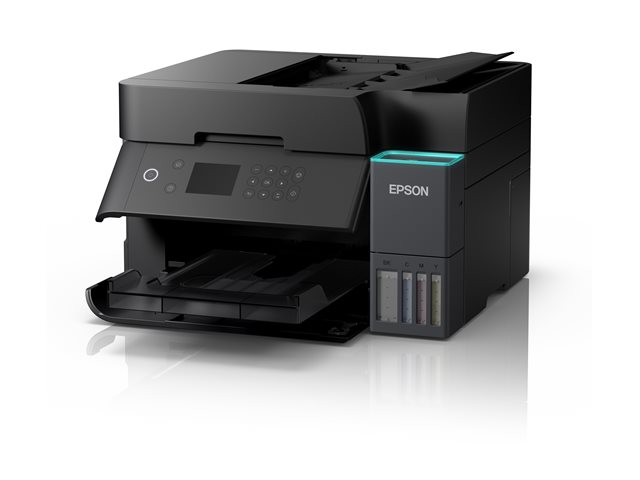
First, tank-fed inkjet has gone from niche to default. Five years ago tank-fed multi-function printers were a small category - fewer models, fewer features, often missing things like ADFs or networking. The ranges now include genuine high-end multi-function models with everything cartridge inkjets have, plus ink that costs a fraction per page. Both HP Smart Tank and Epson EcoTank have multi-function variants across the price spectrum from around €280 to €550, and Canon MAXIFY GX competes at the higher-volume end. For mixed-output home offices that don't want a laser, tank-fed should now be the default starting point and cartridge inkjet should be the alternative you justify, not the other way round.
Second, mobile printing is mature and effectively standard. Five years ago, "wireless printing from your phone" was a checkbox feature with variable real-world reliability. AirPrint and Mopria are now well-supported on essentially every printer sold in 2026, which means you almost never need the manufacturer's own app. If you're being asked to install a manufacturer app to print from your phone, the printer is probably an older model.
Third, right-to-repair pressure and consumer law are reshaping the cartridge market. EU regulation has tightened on misleading durability claims, third-party-cartridge interference and parts availability. Several national consumer protection authorities have taken enforcement action against cartridge tying and warranty practices that violate consumer rights. The market hasn't been transformed - manufacturers still have strong commercial incentives to lock buyers into their consumables - but it's tilted slightly in the buyer's favour. The practical implication for you is that you have more recourse than you used to if a printer becomes worse after a firmware update than it was when you bought it.
What kind of buyer are you?
Generic guidance only - your real buying decision should be anchored against the specific models we have in stock, which we'd be happy to talk through.
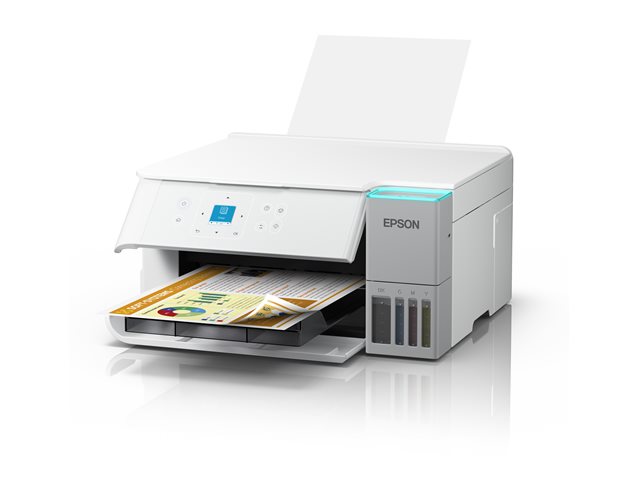
The light home user. Schoolwork, occasional letters, the odd photo. Cartridge inkjet MFPs in the €80-180 range are fine here, with the caveat that infrequent use risks dried-out heads. Tank-fed inkjet entry models around €280-380 are a smarter long-term buy if you can stretch - both HP Smart Tank and Epson EcoTank have entry-tier multi-function models in this band.
The home-office worker. Twenty to a hundred pages a week, mixed colour and mono, occasional document scanning. This is the use case where the consumable choice has the biggest payoff. A tank-fed inkjet in the €350-550 range, or a mono laser MFP in the €250-400 range if your work is overwhelmingly text. For tank-fed, HP Smart Tank and Epson EcoTank are the two ranges to compare; both have well-reviewed multi-function models in this band, and the choice between them tends to come down to driver and software preference rather than print quality. Both will pay back the up-front cost in saved consumables within a year or two of moderate use.
The small business. A few hundred pages a week, multiple users, often shared on a network. Mono laser MFPs in the €350-700 range cover most of this comfortably; colour laser at €600-1,200 if presentations and client-facing documents need colour. Look for high-yield toner support, a 50-page or larger ADF, and proper network management features. Brother and HP both have strong mono laser ranges in this band.
The photo or creative user. A multi-function printer is the wrong purchase here. Buy a dedicated photo printer for the photos and a separate multi-function printer for everything else. Trying to do both with one device compromises both jobs.
The very-low-volume user. If you genuinely print less than ten pages a month, and you have access to a print shop or a friend with a printer, the most cost-effective answer is to not own a printer at all. The mathematics on cartridge inkjet at very low volume is unforgiving once you factor in cartridges that dry out unused.
Frequently asked questions
Is laser always cheaper to run than inkjet?
For mono text printing at any meaningful volume, yes. Mono laser typically runs at one to three cents per page; cartridge inkjet at two to five cents in mono and considerably more in colour. The picture changes for colour: tank-fed inkjet is usually cheaper to run than colour laser, and colour laser printers cost more to buy. The real question is whether you print enough mono text to amortise the higher up-front cost of laser, and whether you need colour at all.
Should I get a multi-function printer or separate devices?
For most home and home-office users, a multi-function printer is the right answer - the convenience and space savings outweigh the loss of scan-quality compared to a dedicated scanner. If you have specific high-volume scan needs (digitising old documents, professional document workflows, archival work), buy a dedicated scanner alongside a print-only printer. The scanner in a typical multi-function printer is good enough for everyday use but not as fast or as feature-rich as a dedicated unit.
Are third-party ink and toner safe to use?
Generally yes for laser toner from reputable manufacturers; more variable for cartridge inkjet. The bigger concern with cartridge inkjet is that some manufacturers' firmware will refuse to recognise third-party cartridges or will start refusing them after an update. Tank-fed inkjet sidesteps the issue entirely - there's no cartridge to block, and refill bottles are simple liquid ink. Before buying a printer with the intention of using third-party consumables, check the manufacturer's recent firmware history and read user reports.
HP Smart Tank or Epson EcoTank?
Both ranges are mature, well-reviewed and broadly comparable on running cost and print quality. EcoTank has been on the market longer and has the deeper range; Smart Tank has caught up on most fronts and competes directly across the same price bands. The practical choice often comes down to which app and driver experience you prefer, and which specific model has the features you need - ADF capacity, duplex scanning, paper trays - at the price you're willing to pay.
How do I know what page yield to actually expect?
The published page yield is measured at five percent coverage, which approximates plain-text printing. Multiply that figure by 0.5 to 0.7 for mixed content with images, and by 0.3 to 0.5 for image-heavy printing. High-yield cartridges typically deliver around 70 to 80 percent of their rated yield in real use, which is normal and not a defect.
Do I need an ADF?
If you ever scan or copy multi-page documents, yes, and you'll wonder how you lived without it. Look for at least a 35-page ADF and consider whether you need single-pass duplex (scans both sides at once) - for any volume of two-sided document work it's worth the extra cost.
What about ink subscriptions?
Some manufacturers run programs where you pay a monthly fee in exchange for cheaper-per-page printing and automatic cartridge delivery. The economics can work out for users with steady, predictable monthly volumes. The risks are around lock-in: subscription cartridges typically only work while you're paying, the printer may refuse to print if the subscription lapses, and changes to the program terms after you've committed to the printer can be hard to escape. Read the cancellation terms before you commit. Tank-fed inkjet avoids this category of question entirely.
How long should a multi-function printer last?
A well-chosen printer used within its rated duty cycle should last five to seven years. Mistreated printers - overloaded, fed wrong paper, never cleaned - fail much sooner. The most common end-of-life failure is print head clogging on inkjets that sat unused too long, which is one reason tank-fed and laser have a longevity edge for low-volume users.
Browse current stock
Ready to buy? Start with our multi-function printers range for the full list, or jump to a specific brand:
Or browse related categories: dedicated printers, document scanners, large format printers, label printers and printer ink and toner. Free delivery anywhere in Ireland on orders over €250.
If you want help choosing, the printers and scanners category page has the full subcategory breakdown and brand list. Or get in touch directly and we'll point you at the right model for what you actually print.
This guide was last updated on 5 May 2026. We update the guide as new multi-function printer ranges launch and as the running-cost picture shifts. If you spotted something out of date, let us know.