Width is rarely the decision that matters
Most people who walk into a large format printer purchase make the same mistake: they shop on width.
A 36-inch printer is bigger than a 24-inch printer, so the 36 must be better. A 44 must be better again. The brochure says it'll print A0 and A0 sounds professional, so they buy the A0 machine, set it up in a corner of the office, and discover six months later that ninety percent of what they print is A1, the wider rolls cost more, the floor space is committed, and a 24-inch machine would have done the job for two-thirds of the price.
Width is rarely the decision that matters. What you're printing is.
This guide is for anyone in Ireland buying a large format printer - sometimes called a wide format printer or, for the CAD-focused machines, a plotter - in 2026. We'll walk through the four buyer profiles we see most often, what each one actually needs, the spec questions that genuinely separate machines, and the running-cost realities that don't show up on a product page. Where we describe price tiers and capability bands, those reflect what's available in the Irish market in 2026 and what we currently stock. We update this guide as new ranges launch.
The category in one paragraph
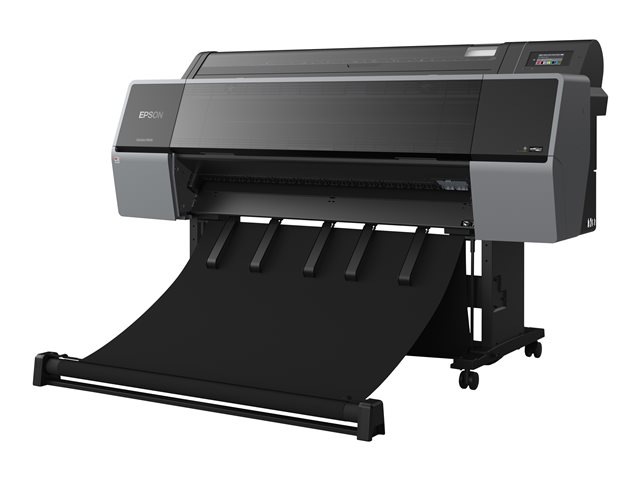
Large format printers print wider than a standard A3 office printer - typically from 17 inches up to 44 inches across, sometimes wider for industrial signage. Almost all of them are inkjet. The market splits roughly into three families: CAD plotters built for fast, accurate technical drawings on plain paper; poster and graphics printers built for vivid colour on coated paper and vinyl; and photo and fine-art printers built for archival giclee output with extended ink sets. The same chassis often serves more than one of those jobs, but the ink set, the print head and the firmware are tuned for specific work. Buying the wrong family is the most expensive mistake in this category.
Who's actually buying these
If you skip everything else in this guide, read this section. The right printer falls out of the answer to "what am I printing, on what, and how often."
The architecture or engineering office
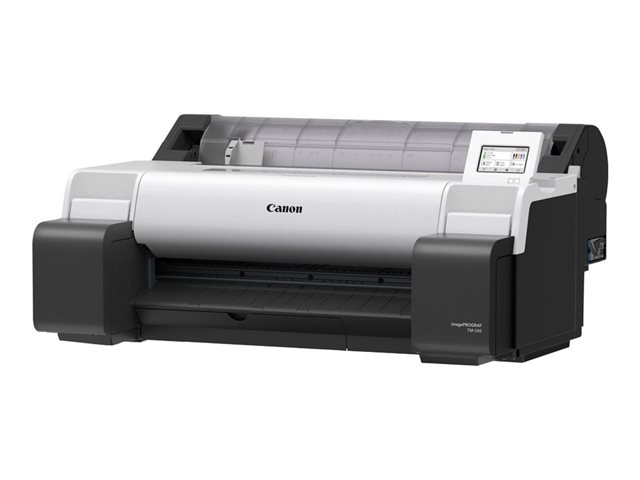
You print CAD drawings, site plans, and the occasional rendering. Most of your output is on plain bond paper. You need geometric accuracy - lines that are where the model says they are - and you need it fast, because at 9am on a Tuesday someone is waiting for a set of A1 plans before they leave for site.
What you actually need: a 24-inch CAD plotter, four-colour pigment ink, fast plain-paper throughput, and reliable network printing. Wireless and mobile print are nice but the print queue from the architectural software matters more. You don't need 10-colour photo ink sets, you don't need a built-in scanner unless you actually copy drawings, and you don't need a 44-inch machine.
The trap: a senior partner sees a 36-inch model in a brochure, decides bigger is better, and the office ends up with a machine that prints A0 plots that nobody on site can fold properly. Stay at 24 inches unless you have a documented and recurring need for A0.
The marketing or in-house print team
You produce posters, point-of-sale, internal signage, banners for events, and the occasional pull-up backdrop. Output is colourful, varied, and unforgiving - the marketing director will see every banding artefact and every dull green.
What you actually need: a colour-strong inkjet at 24 or 36 inches, six or more inks (CMYK plus light cyan and light magenta, sometimes with grey or red), and good handling for coated paper and basic vinyl. RIP software starts to matter here, even a basic one, because the printer's own driver will not handle Pantone matching well. A cutter, even a basic one, saves real time.
The trap: assuming any 24-inch machine will do the job. A CAD plotter and a graphics printer can have identical width, identical resolution on paper, and produce wildly different posters. The ink set is what separates them. If you're producing colour-critical work, do not buy a four-colour CAD machine for it.
The photographer or fine-art studio
You print giclee prints, gallery proofs, and portfolio pieces. Colour accuracy and longevity matter more than throughput. Your customers care - or your future self does - about whether a print will hold its colour for thirty years instead of five.
What you actually need: a photo-grade pigment inkjet, eight to twelve inks including light blacks and a dedicated photo black, support for fine art and rag papers, and a manufacturer-supplied ICC profile system. Width usually starts at 17 inches for proofing and portfolios; 24 or 44 if you're producing exhibition prints. Throughput and speed are almost irrelevant. Print head longevity, head-cleaning ink waste, and the cost of a full ink set matter a lot.
The trap: buying a photo printer for occasional use. Photo-grade printers are happiest when they print regularly. Heads clog when they sit, cleaning cycles waste ink, and a low-volume photo printer can quietly burn through a thousand euro of ink a year doing nothing. If you print fewer than twenty A2 prints a month, an outsourced print bureau is genuinely cheaper.
The design agency or studio that does a bit of everything
You do client presentations, the occasional poster, mockups, sometimes a banner, occasionally a high-quality photo print. Nothing is your primary workflow.
What you actually need: this is the hardest case. A general-purpose 24-inch six-colour inkjet handles most of it, with the understanding that nothing it does will be best-in-class. If photo work is a regular part of the mix, lean toward a photo-tuned model and accept slightly slower CAD throughput. If CAD and presentations dominate and photos are rare, lean the other way.
The trap: trying to find the one printer that does everything well. It does not exist at any price you'll be comfortable with. Pick the workflow that pays the bills and optimise for that.
Width: the question almost everyone gets wrong
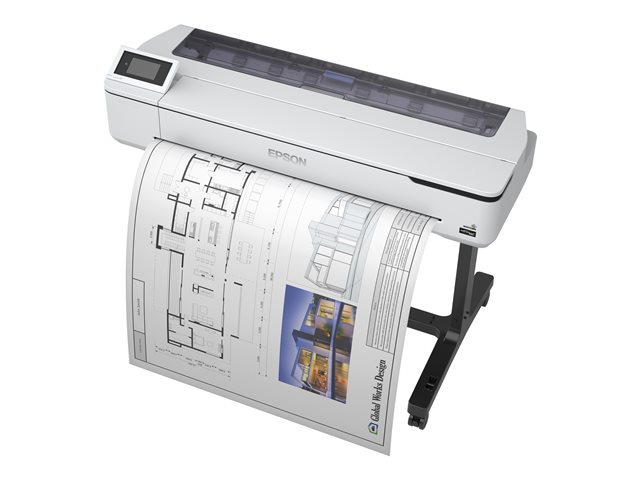
Large format printers come in standard widths that map to standard paper sizes. The four you'll see most often:
- 17-inch: prints up to A2. Photo and proofing work, portfolio prints. Desktop footprint.
- 24-inch: prints up to A1. The volume tier - most plotters and most marketing printers live here. By far the most common large format size in Irish offices.
- 36-inch: prints up to A0. Architecture firms with a regular need for A0 plans, larger marketing teams, some photo work.
- 44-inch: prints beyond A0 and onto wider rolls for banners and gallery prints. Specialist work.
Wider is not better. Wider is wider. A 36-inch machine is physically larger, takes wider rolls of paper (which cost more per metre and cost more to stock), and is slower to warm up and feed than a 24-inch. If you do not have a recurring, documented need to print A0, buy 24 inches.
The honest test: count how many prints you've made in the last six months that genuinely needed to be A0. Not "could have been A0" - genuinely needed it. If the answer is fewer than one a week, 24 inches is correct. If it's higher than one a week, 36 inches earns its space. 44 inches is for studios and print rooms with a specific commercial output, not for general offices.
Ink: where the running cost lives
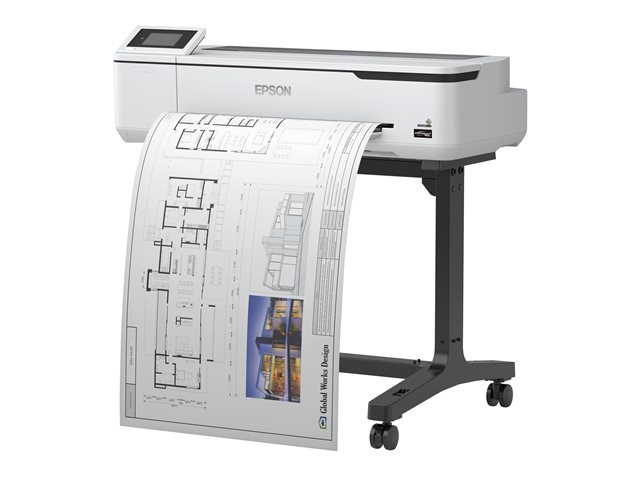
The purchase price of a large format printer is a fraction of what you'll spend on it over five years. Ink is the long-term expense, and it varies dramatically across machines and across applications.
A few realities most product pages obscure:
Ink usage scales with coverage, not with paper size. A bone-dry CAD line drawing on A1 might use a few cents of ink. A full-bleed glossy poster on the same paper might use ten or fifteen euros of ink. The ink budget you build for the architecture office and the budget you build for the in-house marketing team are different by an order of magnitude. Plan accordingly.
Pigment ink and dye ink are different products. Pigment ink is more expensive, more lightfast, and what you want for anything that has to last. Dye ink is cheaper, more vivid in some cases, and fine for short-life work. Most current CAD and photo plotters use pigment; most poster machines also use pigment. Some entry-level photo printers still use dye. Read the spec sheet, not the marketing.
Cleaning cycles waste ink. Every time the printer sits idle for a few weeks, the head primes itself when you wake it up. That priming uses ink. A photo printer that sits between jobs can quietly burn through hundreds of euro of ink a year doing nothing. If you're not printing weekly, factor cleaning waste into your running-cost estimate or expect to be unpleasantly surprised.
Ink cartridges versus ink tanks. Some current models from the major manufacturers use refillable tanks rather than replaceable cartridges, the same shift that's happening in office inkjet. Tank-based machines have lower per-millilitre ink cost but a higher purchase price. If your projected volume is modest, the cartridge model is often cheaper overall. If you're at the high end of typical volume, the tank model pays back inside a year.
Third-party ink usually voids the print quality, not the warranty. Under EU consumer law, using third-party consumables does not void your statutory rights. But large format printers are calibrated to specific ink chemistry, and third-party ink in a colour-critical workflow can produce visibly worse prints, drift profiles, and cause head problems that the manufacturer is not obliged to remedy. For CAD output, third-party ink is usually fine. For photo and graphics work, stick with the manufacturer's ink unless you've specifically tested an alternative.
The features that actually matter
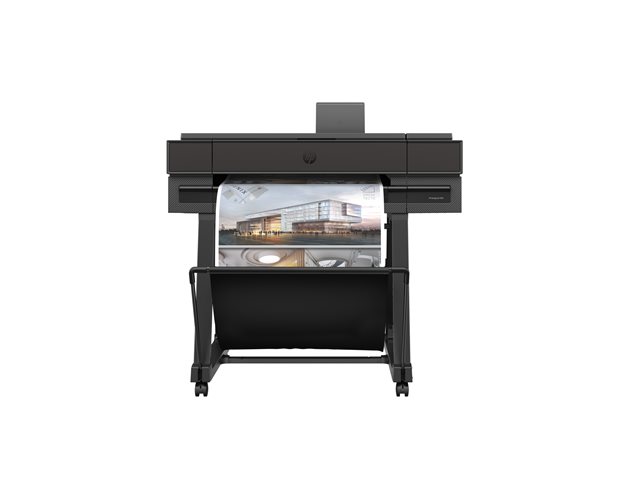
Most spec sheets bury the things that matter under the things that sound impressive. A short list of what to actually look for:
Resolution numbers above 1200 dpi rarely matter for technical drawings. They matter a lot for photo work. If the brochure leads with 2400 dpi and you're printing CAD plans, you're paying for resolution you can't see.
Print speed is reported in best-case mode. The real speed is somewhere between half and a third of the headline number when you're printing real work at real quality. Treat manufacturer speed claims as upper bounds, not expected throughput.
Roll feed and cut. A printer that takes a full roll and cuts cleanly between jobs is dramatically more useful than one that takes only sheets or that needs you to cut by hand. For any volume of work, automatic roll feed and a built-in cutter are non-negotiable. Sheet-only large format printers are a niche product for studios that only print occasional one-offs.
Network and queue management. Several people will use this machine. The print queue, the colour profile management, and the access controls all matter. Wireless is convenient but a wired Ethernet connection is more reliable for business-critical printing. Mobile print is genuinely useful for site visits.
A built-in scanner copier (the "MFP" of the wide format world). Some large format machines include a scanner for copying drawings on site. Useful in specific architecture and engineering workflows; pointless if you don't actively scan large originals. Don't pay for it speculatively.
Service contract and parts availability in Ireland. Large format printers are heavier, more delicate, and more expensive to service than office printers. A four-hour-fix service contract with on-site support is worth real money in a business that can't afford a printer down for a week. We'll always tell you whether a given model has Irish service support before you commit; manufacturers' Irish coverage varies by range.
What's changing in 2026
Three trends worth knowing about if you're shopping this year.
Trade-in and upgrade programs are unusually active. The major manufacturers are running trade-in offers across their large format ranges, sometimes worth several hundred euros against a new machine. If you have an older plotter sitting in a corner, check trade-in value before quoting a new purchase - the offer can change which machine is the right buy.
Tank-based ink is moving into the mid-range. What was an entry-level idea two or three years ago is now appearing in mid-range CAD and graphics printers. The economics get better every year. If you're between two models and one has tanks and the other has cartridges, run the running-cost numbers properly before deciding - tanks often win on a five-year horizon now, even though they cost more up front.
The CAD and graphics lines are converging. Some manufacturers now offer dual-roll machines that handle both plain bond and coated graphics paper without manual reloading. For mixed-use offices this is genuinely useful. The premium isn't trivial but for an architecture firm that occasionally prints presentations alongside plans, a dual-roll machine can replace what used to be two printers.
Recommendations by use case
Concrete starting points by buyer profile, with rough Irish-market price bands.
Architecture or engineering office, 24-inch CAD plotter: a four- or six-colour pigment inkjet plotter, plain-paper-optimised, network-attached. Expect to spend somewhere from around €1,000 to €2,000 for a good machine. Browse 24-inch A1 large format printers.
Architecture firm with regular A0 work, 36-inch plotter: same family, larger chassis. Expect €1,800 to €3,500. Browse 36-inch A0 large format printers.
In-house marketing, 24-inch six-colour graphics printer: six- or eight-ink machine optimised for coated paper and vinyl. €1,500 to €3,000. Look for models with extended ink sets and stronger colour profiles than the basic CAD plotters.
Photographer or fine-art studio, 17-inch photo printer: eight- to twelve-ink pigment photo machine, fine-art paper support. €1,500 to €3,500. The 17-inch tier is genuinely useful for proofing and portfolio work without committing the floor space of a 24-inch.
Photographer producing exhibition prints, 24- or 44-inch photo printer: extended ink set, gallery-grade colour management, slower but archival output. Expect €3,000 at the entry of the photo tier and €8,000+ for top exhibition printers.
Design agency mixed workflow, 24-inch general-purpose: six-ink colour inkjet, decent for both CAD and presentation work, average for serious photo. €1,500 to €2,500. Accept that this is a compromise machine.
Trade-up from an older plotter: if you already own a working machine, ask about manufacturer trade-in offers before quoting a new one. The offer can move the maths significantly.
If you're not sure which profile fits, the printers and scanners hub has the broader range; the large format printers leaf has the current stock with full filters. Or get in touch and we'll work through it with you.
Frequently asked questions
What's the difference between a plotter and a large format printer?
In 2026 the terms are essentially interchangeable. "Plotter" is older language from the era when CAD machines used pens to draw lines mechanically; modern plotters are inkjets like everything else, just tuned for technical drawings on plain paper. "Large format printer" or "wide format printer" is the broader term. If a product page says plotter, it almost always means a CAD-focused inkjet.
Do I need 36-inch or will 24-inch do?
For most buyers, 24-inch (A1) is the right answer. 24-inch printers cost less, take up less floor space, take less expensive rolls, and print faster. 36-inch (A0) earns its place if you genuinely produce A0 work weekly - architectural plans, large signage, gallery prints. Count your A0 jobs over the last six months before deciding; if it's less than weekly, stay at 24.
How much does a large format print cost?
It depends entirely on coverage. A typical CAD plot on A1 plain paper costs cents in ink and paper. A full-bleed glossy A1 poster on coated paper costs several euros. A gallery-grade A1 photo print on archival rag paper costs ten euros or more before you factor in any fixed costs. Building a per-print cost estimate requires knowing your typical coverage and paper grade, not just the printer model.
Is a built-in scanner worth it?
Only if you regularly scan or copy large-format originals - old drawings, oversized documents, gallery work. The premium for an integrated scanner is significant and most offices don't actually use it. If you scan rarely, a flatbed scanner or a phone-camera workflow is usually better than paying for built-in scan capability you'll never use.
Can I use third-party ink?
You can, and EU consumer law protects your statutory rights when you do. But for colour-critical work the chemistry of third-party ink can shift profiles, produce visibly worse prints, and contribute to head problems that the manufacturer won't fix. For CAD plotting, third-party ink is usually fine. For graphics and photo work, stick with the manufacturer's ink unless you've specifically tested an alternative and accept the trade-off.
How long should a large format printer last?
A well-chosen large format printer used regularly should last seven to ten years before it's economically beyond service. The most common end of life is print head failure on machines that sat unused for long stretches, or accumulated waste-ink-pad failures on heavy users. Both are avoidable: print regularly, service annually, replace pads when prompted.
What about service and warranty in Ireland?
Manufacturer service support varies by model and by tier. Entry-level large format printers often carry a one-year warranty with carry-in service; business and pro tiers offer two- or three-year on-site service contracts that are worth their cost in any business that depends on the machine being available. Always confirm the service tier in Ireland before you commit; we'll be straight with you about what's available for any model we sell.
What if I want help choosing?
Get in touch directly. Large format is one of the categories where a fifteen-minute conversation about what you actually print can save you hundreds of euros and a year of frustration with the wrong machine. We'd rather have that conversation than ship you the wrong printer.
Browsing our range
We stock large format printers from HP, Canon and Epson, spanning 24-inch A1, 36-inch A0, and 44-inch sizes, plus a smaller 17-inch tier for proofing and portfolio work. Free delivery anywhere in Ireland on orders over €250.
If you're after the broader category, the printers and scanners hub covers the full range including multi-function printers, document scanners, label printers and consumables. Or read our companion guide on multi-function printers in Ireland if you've ended up here looking for an office printer rather than a wide format one.
This guide was last updated on 5 May 2026. We update the guide as new large format printer ranges launch and as manufacturer service and ink-economics change. If you spotted something out of date, let us know.